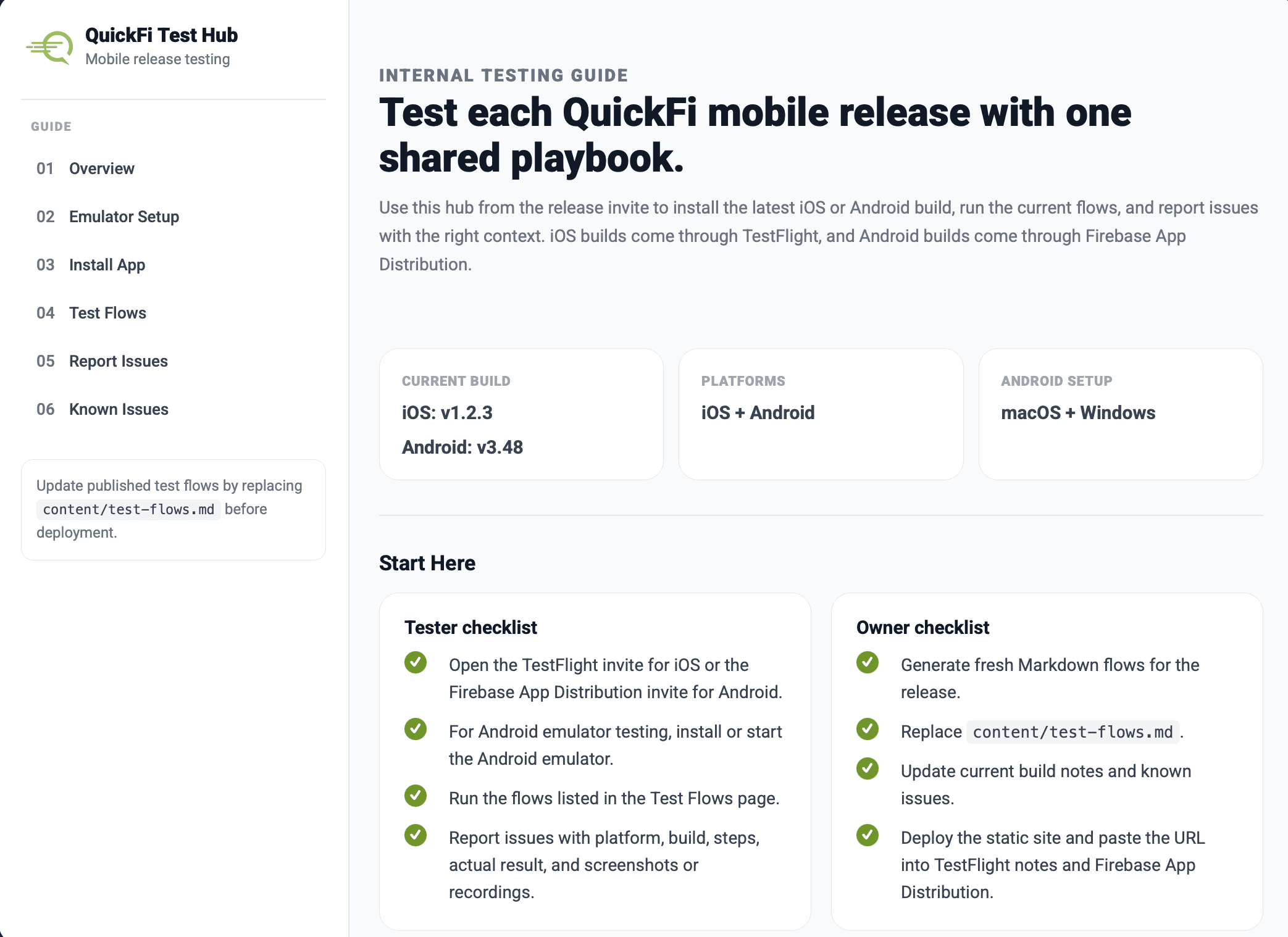
QuickFi Test Hub: Turning Mobile Release QA Into One Shared Playbook
QuickFi needed a testing hub that could live inside release distribution links, explain Android emulator setup without hand-holding, and let testers coordinate iOS and Android flows without another login system. I turned a loose process into a clear, editable, Firebase-backed test playbook.
What I did: Product strategy, UX writing, information architecture, frontend implementation, Firebase setup guidance
Timeline: Built solo over a weekend, refined with Codex over one week (May 2026)
Platforms: Web, iOS testing, Android testing
Users: QuickFi release owners and internal mobile app testers
Here's what happened
The Real Problem
The first version of the ask sounded like a documentation site: give colleagues a place to install an Android emulator, read test steps, and report issues. But the deeper problem was operational. Ninety percent of the company uses iPhones. Nobody had a spare Android device sitting around, which meant Android testing fell almost entirely on the dev team and the handful of people who happened to own a second device. That was the first constraint.
The second constraint was worse. There were no testing instructions. Not just scattered ones — none. The release notes only contain a description of the fixes and no instruction on how to test for them. Testers relied on prior knowledge, which went stale every time a feature shipped or a workflow changed for UX reasons. When that happened, I had to track down the relevant testers and brief them manually in a meeting. Every release was a small knowledge-transfer exercise nobody had time for. This wasn't a documentation problem to tidy up. It was a coordination gap that only got bigger as the app and organization evolved. The hub needed to solve that, and it needed to be the foundation for a real QA workflow going forward, not just a one-off fix.
What I Learned From the Workflow
The useful constraint was that testers did not need a full account system. They already knew the app credentials, and there was no real risk in viewing the test flows. Adding login for every tester would have solved the wrong problem. What mattered was coordination: a tester needed to claim a flow, show progress, mark it done, or flag it as blocked.
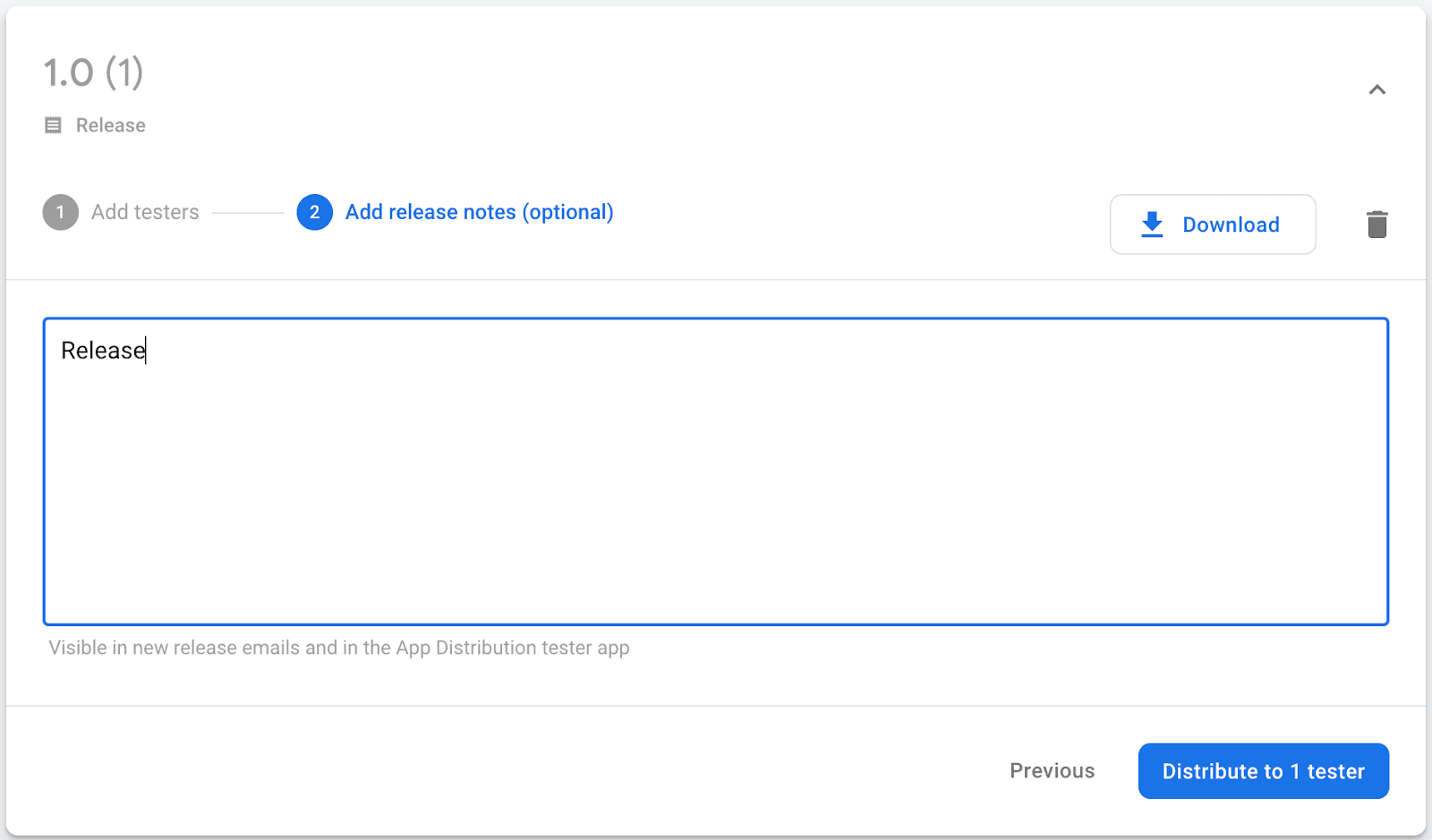
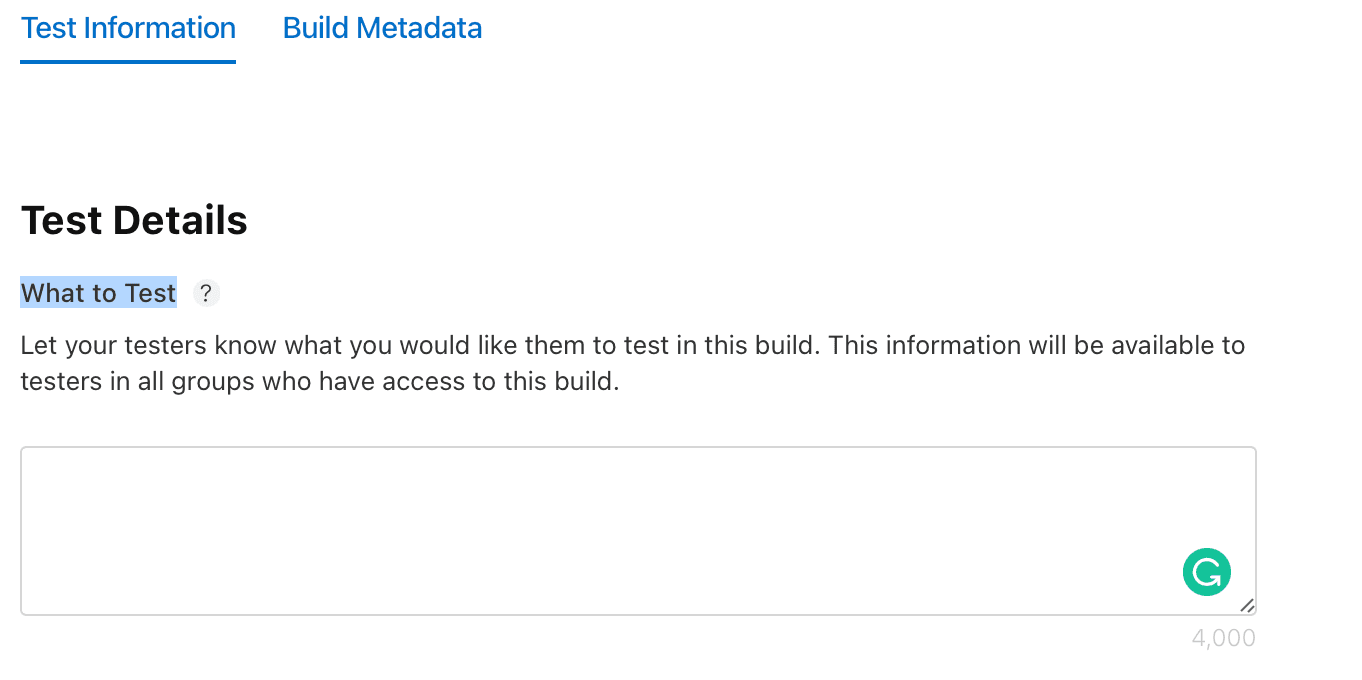
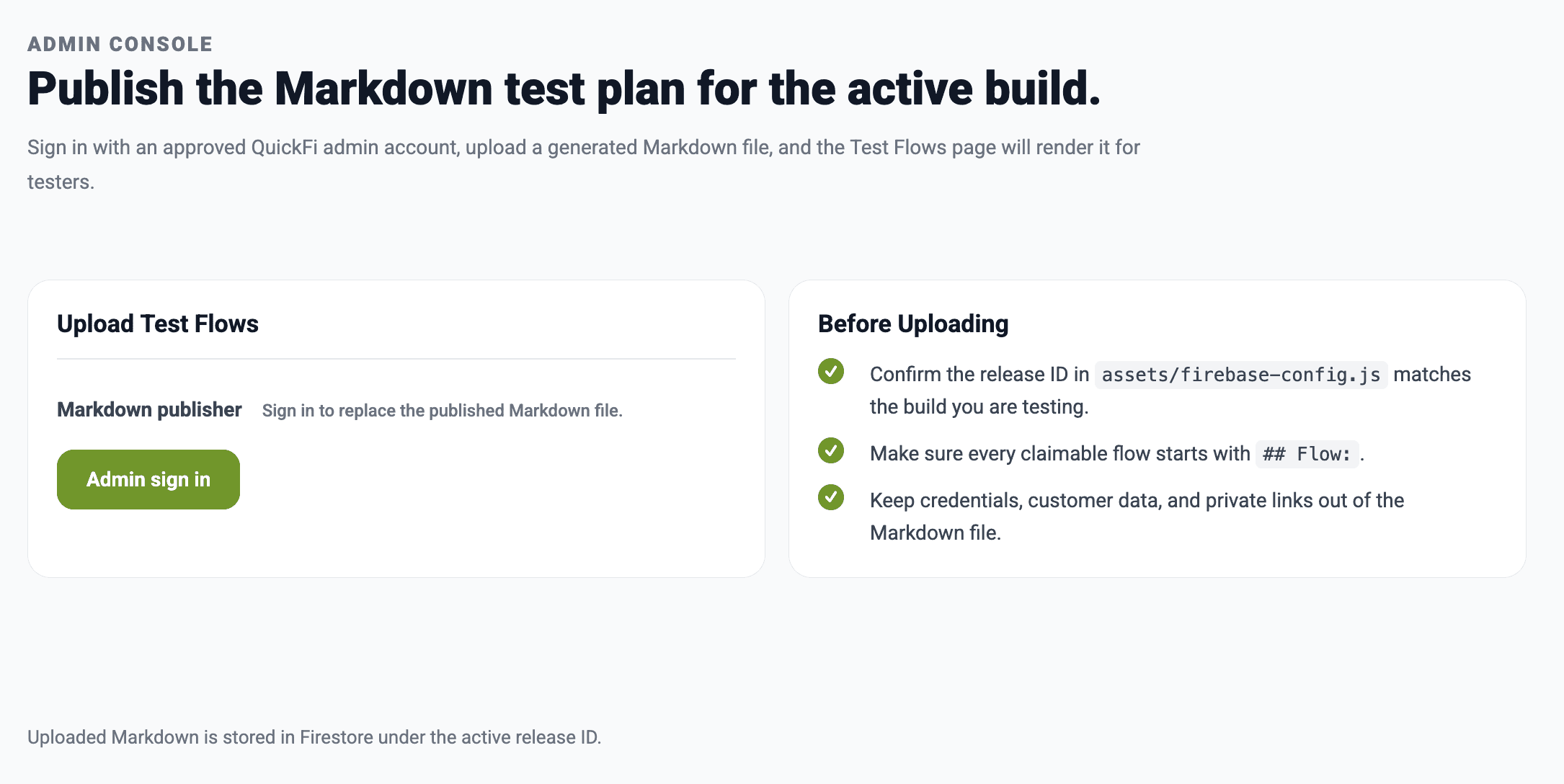
The owner workflow had different needs. The test plan needed to be easy to regenerate with AI, upload as Markdown, and publish for the active release. Build values needed to be editable from the site. Android emulator setup needed to be downloadable as a prebuilt script, not copied from a page line by line.
My Approach: Fix the Operating Model First
Start with the content model
I designed the test plan around Markdown because that was the format most compatible with AI-generated flows. Each flow starts with a predictable heading, metadata, preconditions, steps, expected result, and notes. That made the content easy to write, easy to parse, and easy to render as cards and modal details.
Separate tester and admin needs
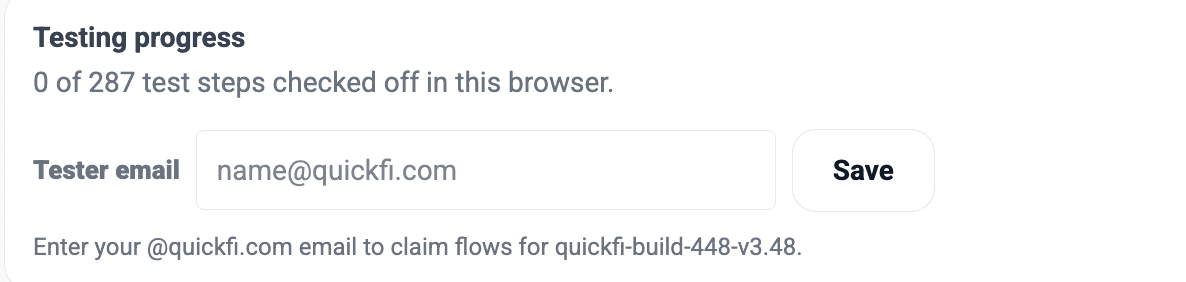
Testers only enter their QuickFi email. Admins sign in with Google and get access to publishing controls. I kept the testing experience low-friction while protecting the workflows that change shared release data.
Make Android setup a path, not a paragraph
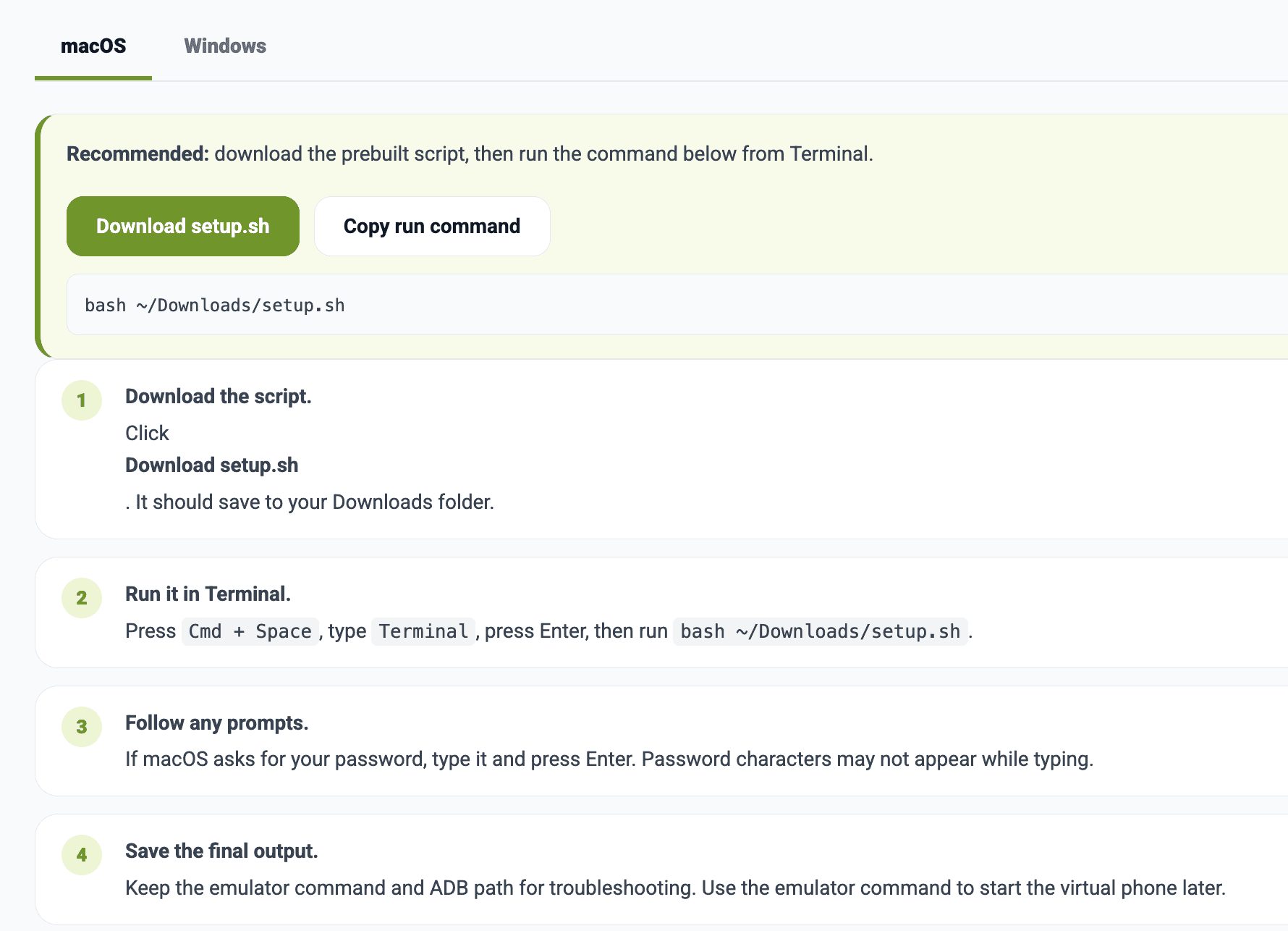
The emulator setup page evolved from copy-and-paste instructions into downloadable macOS and Windows scripts. The page still explains what is happening, but the primary action is simple: download, run, and reuse the emulator for future builds. To make things easier for non-developers, I also uploaded a prebuilt script that handles most of the heavy lifting for emulator setup.
The Solutions That Actually Worked
Documentation-style navigation
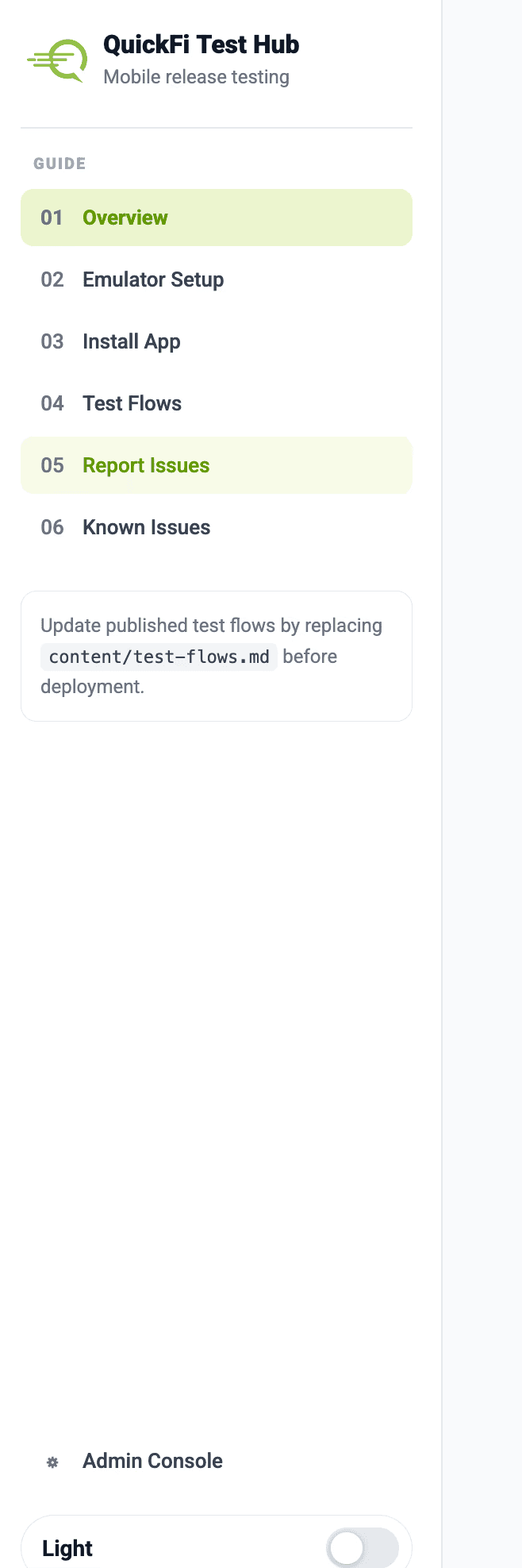
I structured the hub with a left-side guide, familiar navigation with pages for overview, emulator setup, app install, test flows, issue reporting, known issues, and admin controls.
Markdown-driven test flows
I built the Test Flows page to read published Markdown, turn each flow into a compact card, and open details in a modal so testers aren't trapped in a long scrolling document.
Flow claiming without tester login
I exposed platform-specific status chips on each flow, in the format iOS - status - tester email and Android - status - tester email, and kept actions inside the modal so cards stay compact.
Firebase-backed admin publishing
I built the Admin Console so an approved QuickFi admin can upload a Markdown file and edit current build values. I moved the Overview card off hard-coded HTML onto Firestore.
Platform-specific distribution guidance
I clarified in the hub that iOS builds come through TestFlight, Android builds come through Firebase App Distribution, and only Android emulator testing needs setup scripts.
Brand and accessibility pass
I updated the visual system with QuickFi colors, dark mode, a real QuickFi SVG logo, clearer success/error states, and status feedback after admin saves.
What this achieved
The result is not just a website. It is a release-testing operating surface. Testers get one link in the release invite. Release owners get a repeatable way to publish new flows. The team gets visibility into who is testing what without asking everyone to manage another account.
– Owners can upload a fresh AI-generated Markdown file for each release.
– Current iOS and Android build values can be updated from the Admin Console.
– Testers can claim, complete, block, or release flows using only their QuickFi email.
– Flow cards show claim status before testers open the details, reducing wasted clicks and duplicate effort.
– Android emulator setup is packaged as downloadable scripts with clearer launch commands.
What I'd Do Differently
I would define the admin model earlier. The project started as a static documentation site, but the moment flow claiming and Markdown upload entered the picture, Firestore rules and authentication became part of the UX. Designing those states earlier would have made the admin console feel cleaner from the first pass.
I would also separate release history from active release configuration sooner. The current structure is optimized for the active build, but the next natural step is a release archive where past test plans, blocked flows, and build notes can be reviewed later.
What's Next
– Extend the hub to work alongside the AI testing agent our interns are building. Flows the agent can run get executed automatically; anything that needs human judgment, ambiguous results, edge cases, low-confidence runs, gets routed to a person instead.
– Give owners a way to look back, not just forward, with a release archive of historical build and test plans instead of only the active one.
– Make testing bottlenecks visible instead of anecdotal, with lightweight analytics on claim activity and blocked flows by platform.
– Tighten the operational seams as the hub takes on more production weight: automatic build IDs tied to the release pipeline, and stricter access controls on the admin layer.
This project reinforced a simple product lesson: internal tools work when they respect the real workflow. The win was not adding process. It was removing the tiny uncertainties that slow release testing down.