Osprey: One App, Five Different Jobs
Bosch had a home security app. Their commercial clients had warehouses, shift workers, contractors, and security staff. Those are not the same problem.
What I did: UX Designer Intern
Timeline: June – December 2018
Platforms: Mobile
Here's what was going on
The residential Osprey app existed. It worked fine for homeowners. Then Bosch decided to bring it to the commercial market and handed it to me, a UX intern, to figure out.
Commercial users aren't homeowners. A warehouse manager needs to monitor three zones, check who accessed the loading dock at 2am, and set up temporary contractor access before their morning standup. The existing app couldn't do any of that in a way that made sense.
I was the only designer on this. Working directly with the principal developer and product managers, running agile sprints, figuring it out as we went.
The interface wasn't built for these people. My job was to make it one that was.
The real problem: five completely different users
Here's the thing about designing for "commercial clients" -- it's not one person. It's five.
Warehouse Owners and Managers
Focus: Security and inventory safety.
Features: Real-time security status, inventory alerts.
Benefit: Immediate visibility into critical metrics.
Security Personnel
Focus: Monitoring and responding to security issues
Features: Live monitoring and alarm notifications
Benefit: Quick access to essential security tools
Maintenance Personnel
Focus: System Maintenance and repairs
Features: Maintenance schedules, diagnostics.
Benefit: Easy access to necessary tools and information.
Authorized Employees
Focus: Accessing specific areas and entry points.
Features: Access permissions, entry logs.
Benefit: Secure, convenient access to required areas.
Visitors and Contractors
Focus: Limited, purpose-specific access.
Features: Temporary access permissions, visitor logs..
Benefit: Smooth, secure access tailored to their visit.
One app. Five mental models. That's the actual design challenge.
My approach: build on what existed, but don't pretend it's enough
I had the residential Osprey app as a starting point. Using it as reference saved time and kept us aligned with Bosch's broader design vision for the product. But I didn't just reskin it. The home screen needed to be customizable by role, the navigation needed rethinking, and everything had to stay within Bosch's style guide. Designing within guardrails, not freely.
Redesigning the home page
The original home screen was cluttered and out of sync with the rest of Bosch's product suite. First fix: move to a single sign-on login to match their other applications. Then rebuild the home page from scratch.
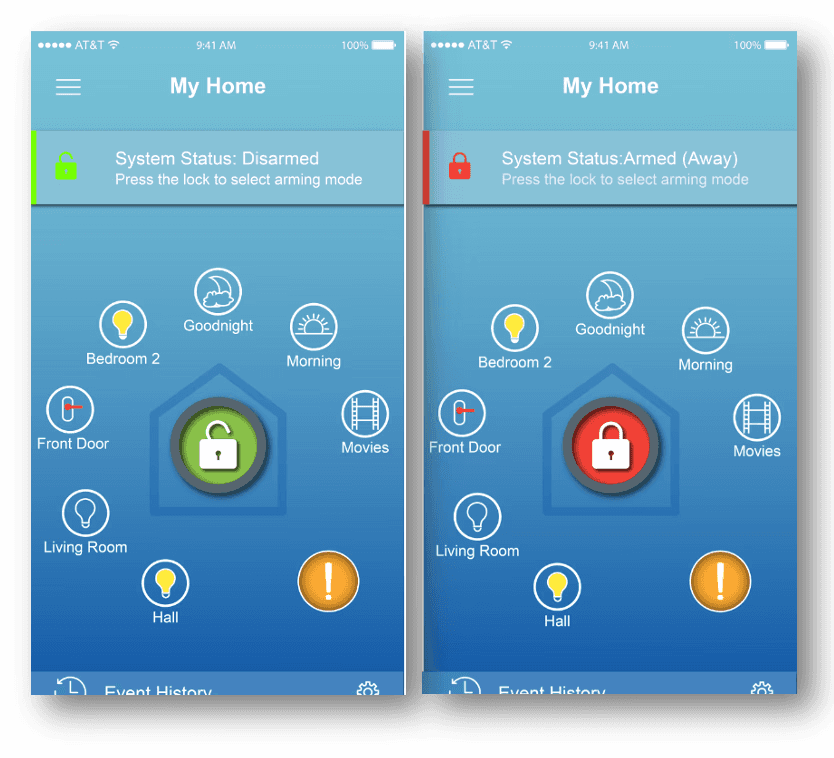
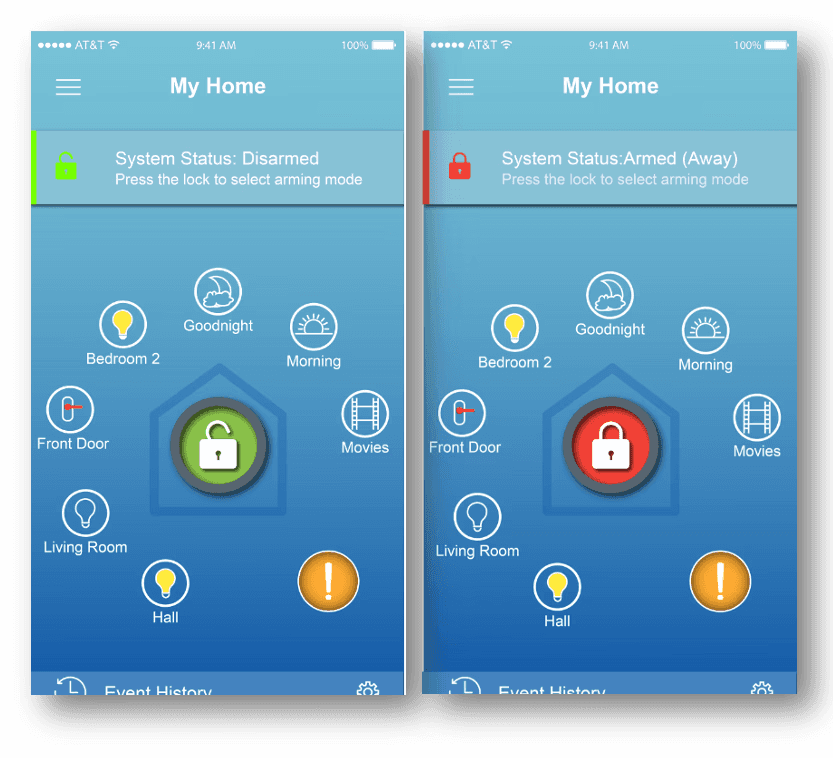
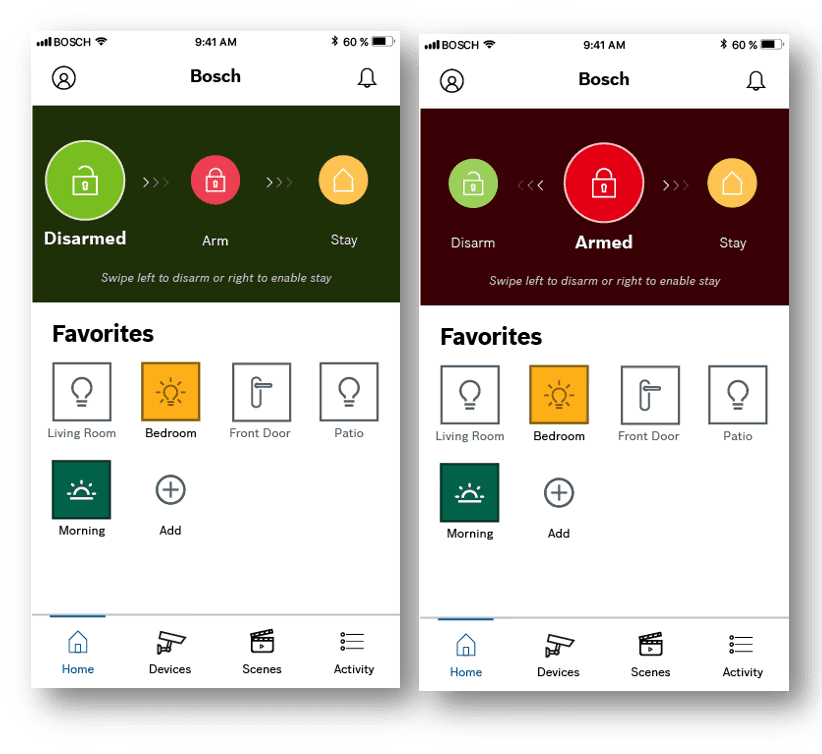
Home page for residential app and redesign proposed by previous designer
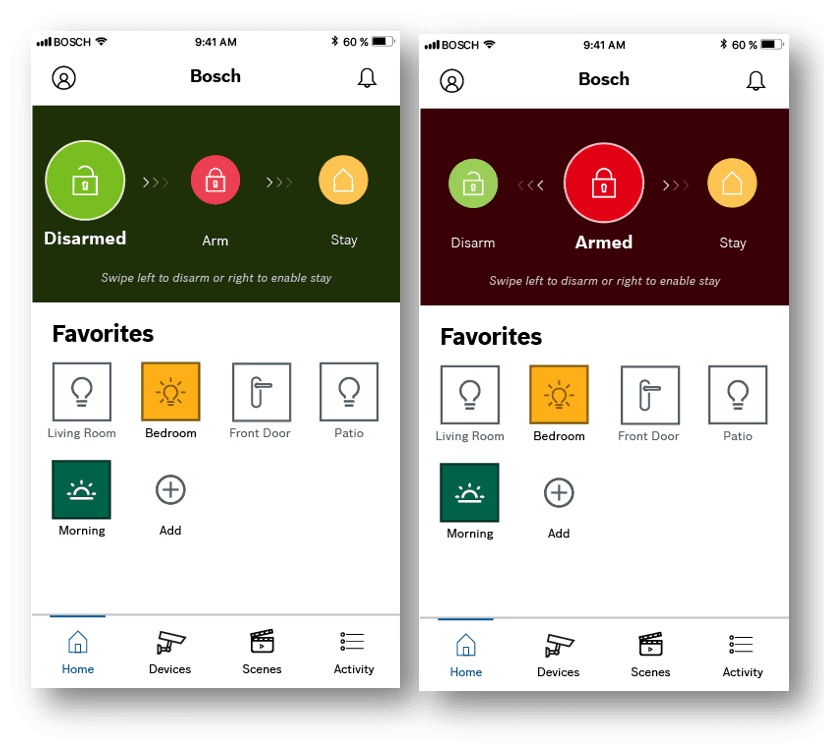
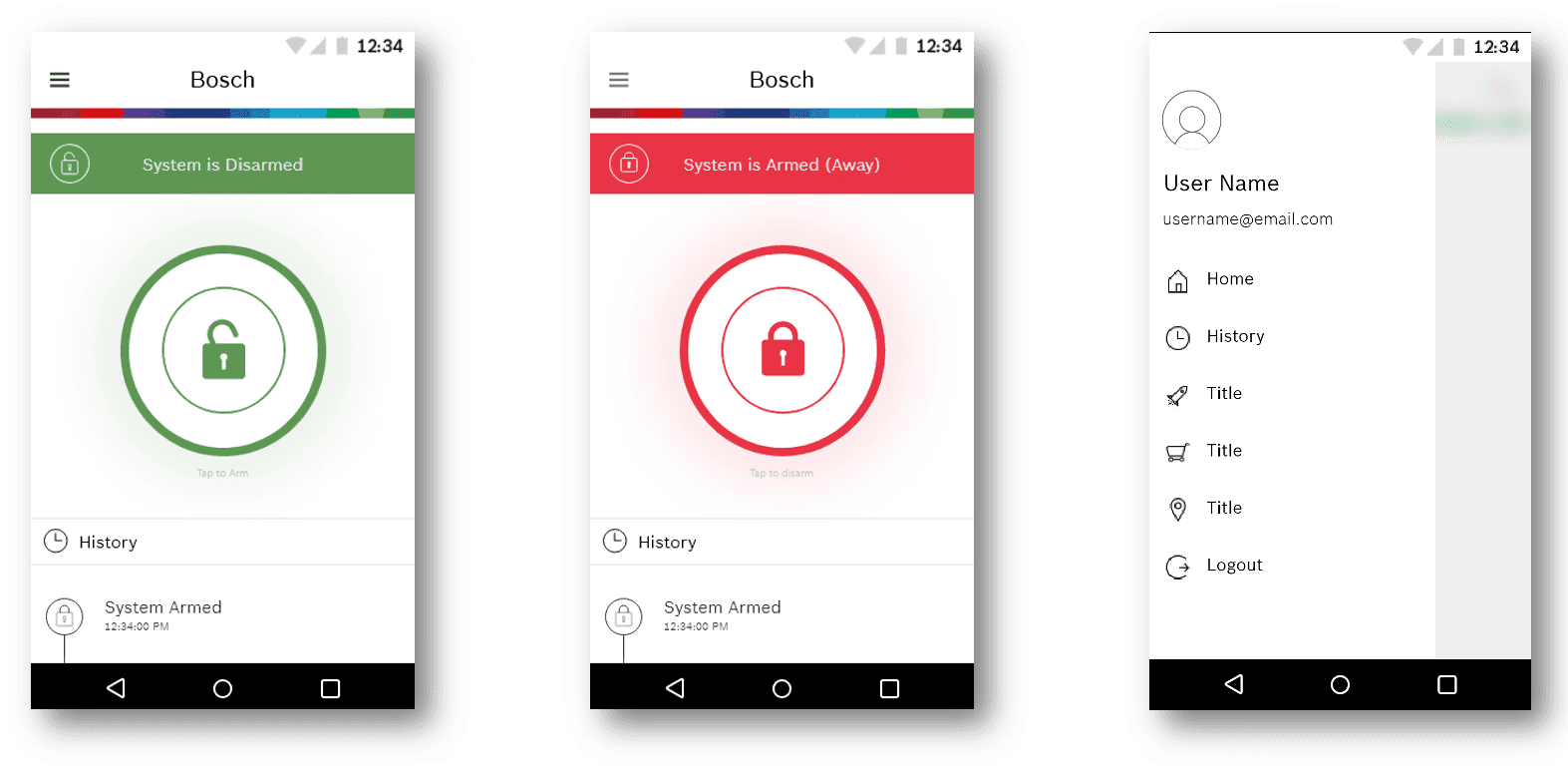
The new design leans on intentional white space and a single clear CTA. One action, obvious, right there. It follows Bosch's aesthetic guide while stripping out everything that didn't earn its place on screen.
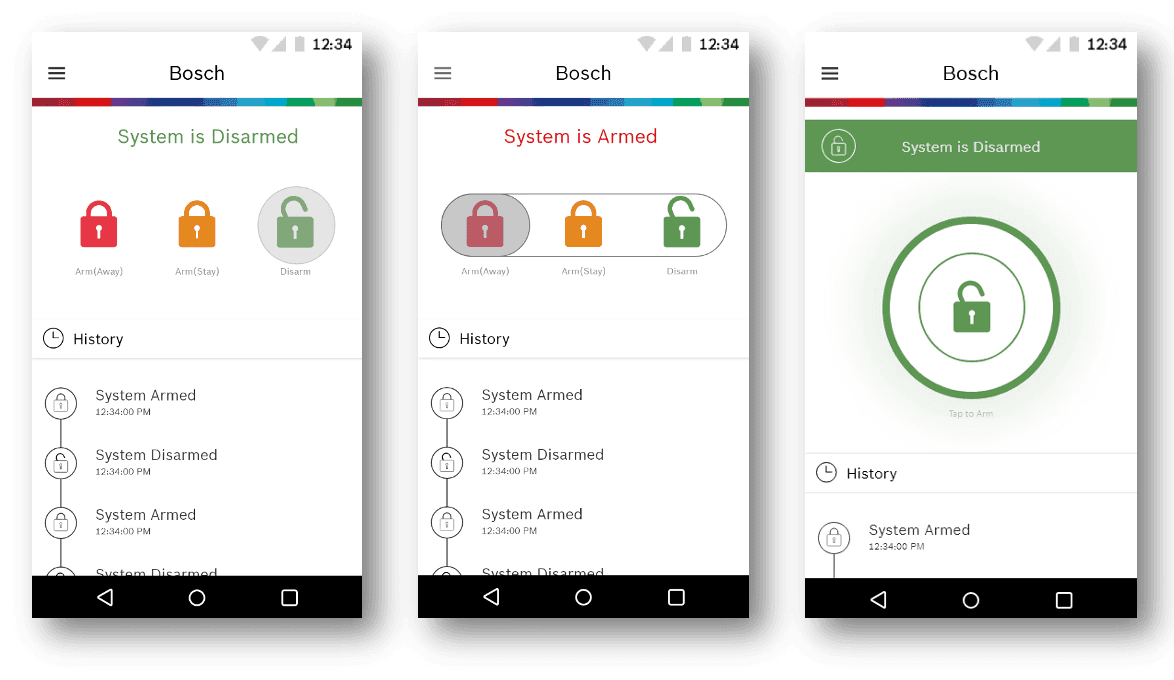
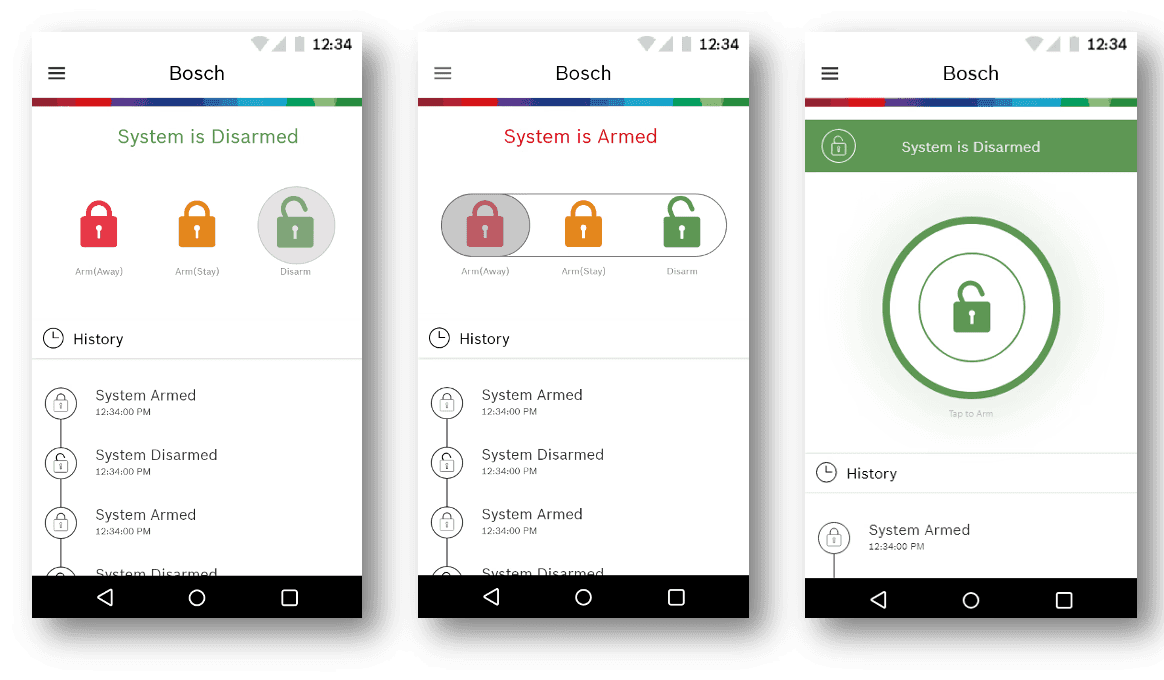
3 versions of the new redesign
Here's what that actually meant in practice: more linear interactions, a standout call-to-action element, and a modernized interface that removed clutter without removing function. The previous version made users hunt for the thing they came to do. That's a fixable problem.
Customization that works on day one
Five different roles meant five different priorities. The goal was a home screen users could personalize so the most relevant features were always front and center. A security guard shouldn't have to scroll past maintenance schedules. A contractor shouldn't see the alarm panel at all. Customization was the intent – give people control over what they see so the app fits their job, not the other way around.
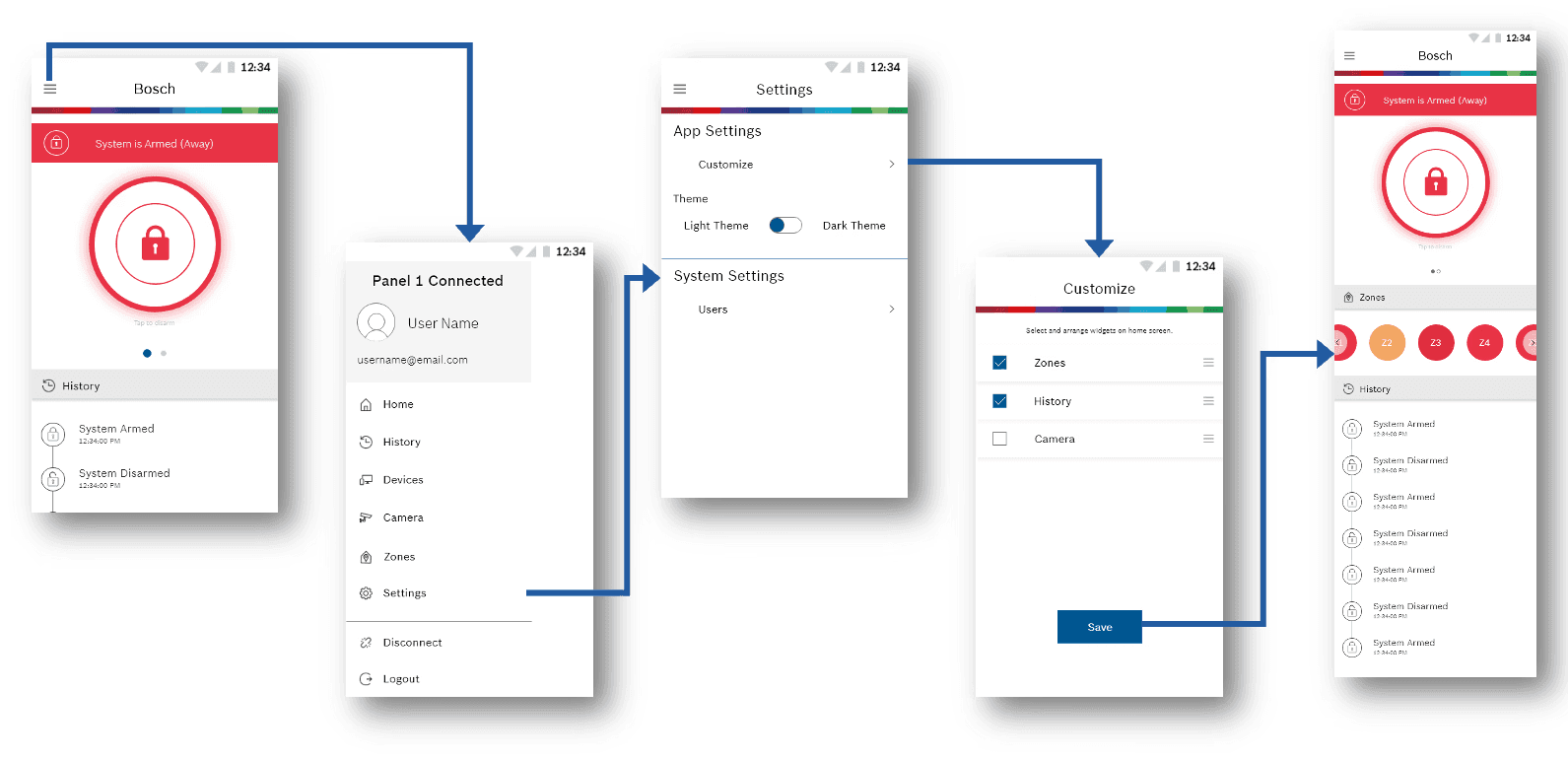
An adaptable interface beats a one-size-fits-all one every time.
View all user flows here
Dark mode wasn't optional
Security personnel monitor in low-light environments. For them, dark mode is a usability requirement, not a preference. It also aligned with Bosch's brand guidelines and matched what users expected from a modern security product. We built it in from the start.
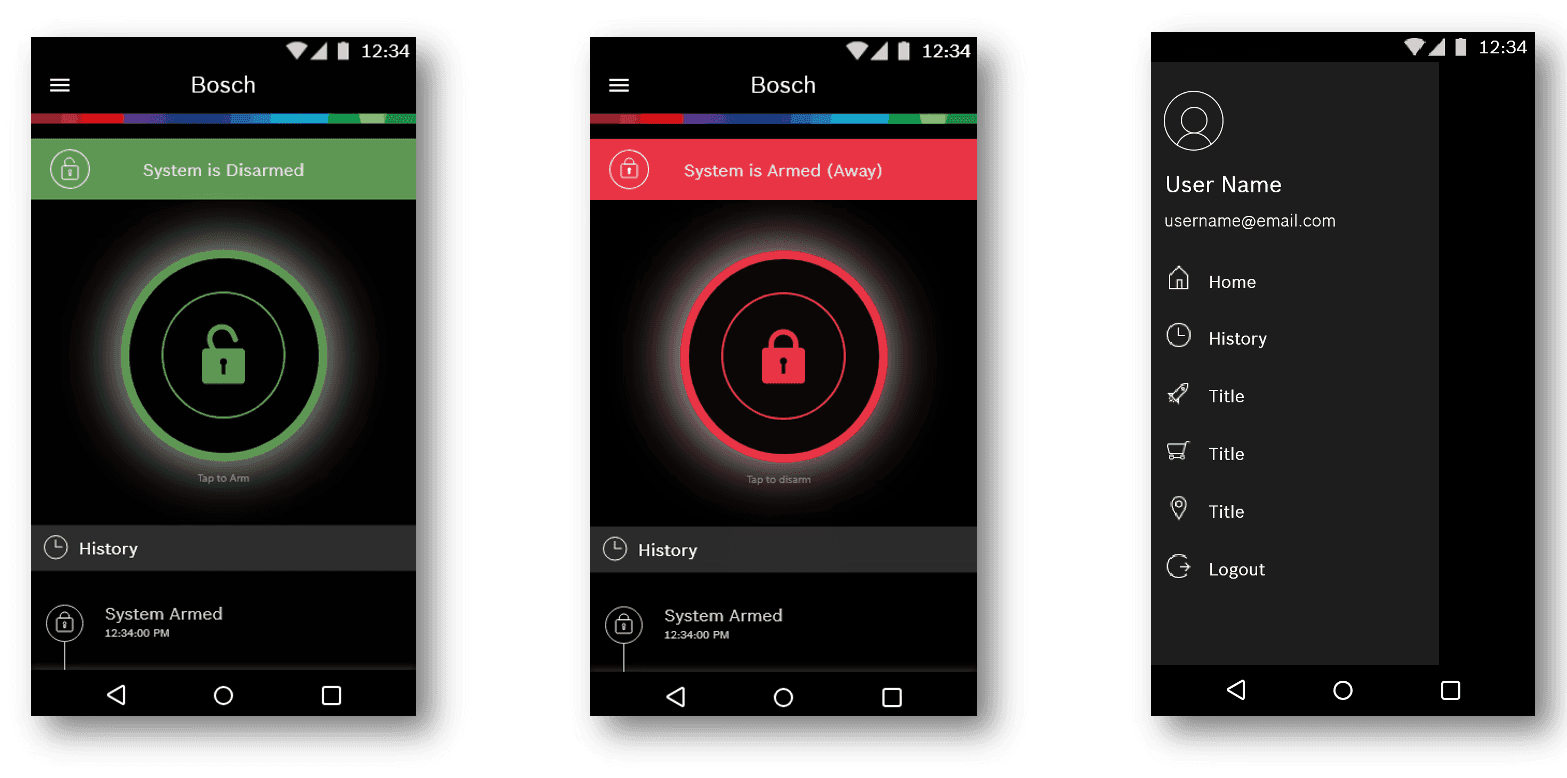
Not just a design choice. A strategic one.
What I learned
Here's the honest version of how agile design actually works: you agree on something in a sprint, it gets built, and then you realize it doesn't work the way you thought it would. That happened more than once on Osprey. Components I was confident about in Adobe XD needed rethinking once they hit real devices. I stopped treating design sign-off as the finish line.
Working directly with the principal developer was what made the difference. That relationship meant I understood technical constraints early, not after a component was already designed and handed over. It cut wasted iteration time significantly.
The bigger lesson was triangulation. Every sprint meant balancing what users needed, what developers could build, and what product managers were prioritizing. Getting fluent at that negotiation made me a better designer faster than any solo project could have.
Design doesn't happen in Adobe XD. It happens in the gap between what you designed and what actually ships.
What I'd Do Differently
I'd push for usability testing with actual commercial users much earlier. Most validation came from internal stakeholders and the principal developer, not from the security guard using this at 3am or the warehouse manager on a loading dock. The designs were solid. But real-world edge cases always surface things a sprint review won't catch.
I also leaned too heavily on the residential app as a reference point early on. It was a useful foundation but it biased some early decisions toward homeowner workflows that commercial users didn't share. Recognizing that sooner would have saved a couple of iterations.
Talk to the person doing the job before you finish designing for them.
Prototype
Prototype Tool: Adobe XD interactive prototype
Tools: Adobe XD, Adobe After Effects